الرموز المزيفة لـ QR تؤدي إلى عمليات احتيال سهلة – كن حذراً مما تمسحه في الخارج
Fake QR codes make for easy scams – be careful what you scan out there
QR codes are so familiar and widespread, we tend to trust them without question. That’s exactly what scammers rely on.
رموز QR مألوفة ومنتشرة للغاية، ونميل إلى الوثوق بها دون تساؤل. وهذا بالضبط ما يعتمد عليه المحتالون.
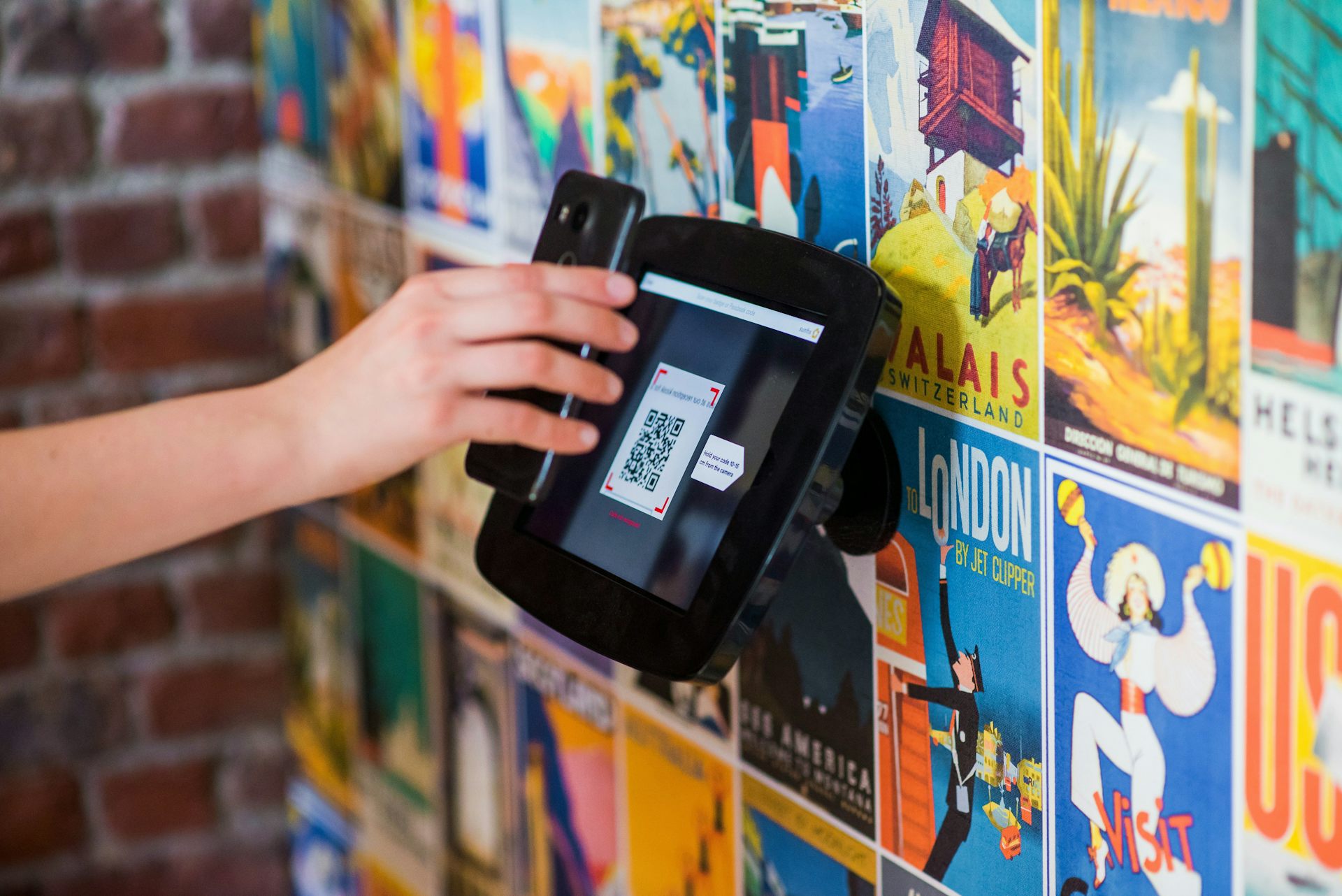
It’s a simple thing we encounter many times every single week – often while in a hurry. You pull up at a parking spot, scan a QR code and pay within seconds. Or you sit down at a cafe, scan a code to view the menu and order your meal.
إنه شيء بسيط نمر به عدة مرات كل أسبوع- وغالباً ونحن مستعجلون. تصل إلى موقف للسيارات، وتُمسح رمز QR وتدفع في غضون ثوانٍ. أو تجلس في مقهى، وتُمسح رمزاً لرؤية القائمة وطلب وجبتك.
At the train station, you scan the code on the poster for timetable updates. QR codes are increasingly used in public transport systems worldwide for ticketing, payments and accessing real-time information.
في محطة القطار، تقوم بمسح الرمز الموجود على الملصق للحصول على تحديثات الجدول الزمني. تُستخدم رموز QR بشكل متزايد في أنظمة النقل العام حول العالم لتذاكر الدخول، والمدفوعات، والوصول إلى المعلومات في الوقت الفعلي.
Because QR codes are so widespread, scammers naturally find them appealing too. Here’s what you need to know to stay safe.
نظراً لانتشار رموز QR الواسع، يجد المحتالون جاذبية فيها أيضاً بشكل طبيعي. إليك ما تحتاج إلى معرفته لتبقى آمناً.
What are QR codes?
ما هي رموز الاستجابة السريعة (QR codes) ؟
A QR (quick response) code is a type of barcode that stores information and encoded data in a square pattern of black and white pixels. They were first developed in 1994 by Japanese company Denso Wave for labelling automotive parts.
رمز الاستجابة السريعة (QR) هو نوع من الباركود يخزن المعلومات والبيانات المشفرة في نمط مربع من البكسلات السوداء والبيضاء. تم تطويرها لأول مرة في عام 1994 بواسطة شركة دينسو ويف اليابانية لوضع الملصقات على قطع غيار السيارات.
Today QR codes are widely used because they’re quick to create and easy to scan without needing a specialised scanner – a smartphone camera will do. They’re designed to remove friction: you scan, and something happens instantly.
تُستخدم رموز الاستجابة السريعة على نطاق واسع اليوم لأنها سريعة الإنشاء وسهلة المسح دون الحاجة إلى ماسح ضوئي متخصص – فكاميرا الهاتف الذكي تكفي لذلك. وقد صُممت لإزالة الاحتكاك: أنت تقوم بالمسح، ويحدث شيء ما على الفور.
However, a QR code doesn’t show you where it leads until after it’s scanned. Your device can perform a range of functions after scanning a QR code: open up a web page, check you in to a location, or even connect your device to a wireless network without needing to type anything.
ومع ذلك، فإن رمز الاستجابة السريعة لا يظهر لك إلى أين يقودك إلا بعد مسحه. يمكن لجهازك أداء مجموعة من الوظائف بعد مسح رمز الاستجابة السريعة: فتح صفحة ويب، أو تسجيل دخولك في موقع ما، أو حتى توصيل جهازك بشبكة لاسلكية دون الحاجة إلى كتابة أي شيء.
That’s what makes it so useful, but also potentially risky. Malicious QR codes can redirect users to fake websites or prompt them to download harmful content. QR codes are so familiar and widespread, we tend to trust them without question. That’s exactly what scammers rely on.
وهذا ما يجعله مفيدًا للغاية، ولكنه قد يكون محفوفًا بالمخاطر أيضًا. يمكن للرموز الخبيثة أن تعيد توجيه المستخدمين إلى مواقع ويب وهمية أو تحثهم على تنزيل محتوى ضار. نظرًا لأن رموز الاستجابة السريعة مألوفة ومنتشرة جدًا، فإننا نميل إلى الوثوق بها دون سؤال. وهذا بالضبط ما يعتمد عليه المحتالون.
What to look out for
ما الذي يجب الانتباه إليه
Phishing – where cyber criminals “fish” for sensitive information – is the most common type of cyber crime, typically sent by email or text. When a QR code is involved, that becomes “quishing” – short for QR phishing.
يُعد التصيد الاحتيالي (Phishing) – حيث يقوم مجرمو الإنترنت بـ “صيد” المعلومات الحساسة – النوع الأكثر شيوعًا من الجرائم الإلكترونية، وعادة ما يتم إرساله عبر البريد الإلكتروني أو الرسائل النصية. وعندما يتضمن الأمر رمز استجابة سريعة (QR code) ، يصبح ذلك “التصيد عبر رموز QR” (Quishing) ، وهو اختصار لـ (QR phishing) .
Scammers now include QR codes in emails or text messages instead of clickable links. When scanned, the code directs users to fake login pages or payment sites. Because there’s no visible link, these messages can seem more trustworthy and can even bypass some email security filters.
أصبح المحتالون الآن يدرجون رموز QR في رسائل البريد الإلكتروني أو الرسائل النصية بدلاً من الروابط القابلة للنقر. عند مسح الرمز ضوئيًا، يوجه المستخدمون إلى صفحات تسجيل دخول وهمية أو مواقع دفع مزيفة. نظرًا لعدم وجود رابط مرئي، يمكن أن تبدو هذه الرسائل أكثر موثوقية، بل ويمكنها تجاوز بعض فلاتر أمان البريد الإلكتروني.
Malicious downloads
التنزيلات الضارة
Some QR codes don’t just take you to a website – they trigger an app or file download, which could contain malware. This can give attackers access to your device, data or accounts. Because the action happens quickly, you may not have time to question whether the download is legitimate.
لا تقتصر بعض رموز QR على توجيهك إلى موقع ويب فحسب – بل يمكنها تشغيل تنزيل لتطبيق أو ملف، والذي قد يحتوي على برامج ضارة. يمكن أن يمنح هذا المهاجمين الوصول إلى جهازك أو بياناتك أو حساباتك. نظرًا لأن الإجراء يحدث بسرعة، قد لا يكون لديك وقت للتساؤل عما إذا كان التنزيل شرعيًا.
Fake QR codes in public places
رموز QR المزيفة في الأماكن العامة
One of the simplest methods to trick people involves placing a sticker with a fake QR code over a legitimate one. For example, scammers have been caught sticking fraudulent QR codes on parking meters. When drivers scan the code, they are taken to a fake payment page and asked to enter their card details. Posters, flyers and other signs in public places may also contain malicious QR codes.
إحدى أبسط الطرق لخداع الناس هي وضع ملصق يحتوي على رمز QR مزيف فوق رمز QR شرعي. على سبيل المثال، تم ضبط محتالين وهم يلصقون رموز QR احتيالية على عدادات مواقف السيارات. عندما يقوم السائقون بمسح الرمز، يتم توجيههم إلى صفحة دفع مزيفة ويُطلب منهم إدخال تفاصيل بطاقتهم. قد تحتوي الملصقات والمنشورات واللافتات الأخرى في الأماكن العامة أيضًا على رموز QR ضارة.
Redirect scams
عمليات الاحتيال عبر إعادة التوجيه
Even when a QR code looks legitimate, it may redirect you through multiple websites before landing on a fake page. This makes it harder to detect suspicious activity. By the time you see the final page, it may look convincing enough to trust.
حتى عندما يبدو رمز QR شرعيًا، فقد يقوم بإعادة توجيهك عبر مواقع ويب متعددة قبل أن يصل إلى صفحة مزيفة. وهذا يجعل من الصعب اكتشاف النشاط المشبوه. وبحلول الوقت الذي ترى فيه الصفحة النهائية، قد تبدو مقنعة بما يكفي لتثق بها.
How to stay safe
كيف تحافظ على سلامتك
The good news is you don’t need to stop using QR codes. You just need to use them more carefully.
الخبر الجيد هو أنك لست بحاجة إلى التوقف عن استخدام رموز الاستجابة السريعة (QR codes) . كل ما عليك فعله هو استخدامها بحذر أكبر.
Treat QR codes like unknown links. If you wouldn’t click a random link, don’t scan a random QR code.
تعامل مع رموز QR كما تتعامل مع الروابط المجهولة. إذا كنت لن تنقر على رابط عشوائي، فلا تفحص رمز QR عشوائيًا.
Check for signs of tampering. In public places, look closely at the code. Is it a sticker placed over another one? Does anything look out of place?
تحقق من علامات التلاعب. في الأماكن العامة، انظر إلى الرمز عن كثب. هل هو ملصق موضوع فوق رمز آخر؟ هل يبدو أي شيء غريباً؟
Look at the web address before proceeding. Many phones now show a preview of the hyperlink retrieved via the QR code before opening it. Don’t just hit “go”, take a moment to check it looks legitimate.
انظر إلى عنوان الويب قبل المتابعة. تعرض العديد من الهواتف الآن معاينة للرابط التشعبي المسترجع عبر رمز QR قبل فتحه. لا تضغط على “متابعة” فحسب، بل خذ لحظة للتأكد من أنه يبدو شرعيًا.
Avoid scanning codes from unsolicited messages. If you receive a QR code via email or text asking you to log in or make a payment, don’t use it. Go directly to the official website instead.
تجنب مسح الرموز من الرسائل غير المرغوب فيها. إذا تلقيت رمز QR عبر البريد الإلكتروني أو الرسائل النصية يطلب منك تسجيل الدخول أو إجراء دفعة، فلا تستخدمه. اذهب مباشرة إلى الموقع الرسمي بدلاً من ذلك.
Don’t rush to enter personal details. If a site asks for sensitive information, pause. Double-check you’re on the correct website.
لا تتعجل في إدخال التفاصيل الشخصية. إذا طلب موقع ما معلومات حساسة، فتوقف. تحقق مرة أخرى من أنك على الموقع الصحيح.
Keep your phone updated. Security updates may sometimes feel like a nuisance, but they do help protect your device against malicious sites and downloads.
حافظ على تحديث هاتفك. قد تبدو التحديثات الأمنية في بعض الأحيان مزعجة، لكنها تساعد بالفعل في حماية جهازك من المواقع والتنزيلات الخبيثة.
QR codes are not dangerous by themselves. They are useful tools that make everyday tasks easier. But they remove a key safety step: the ability to see where you’re going before you get there.
رموز QR ليست خطيرة في حد ذاتها. إنها أدوات مفيدة تجعل المهام اليومية أسهل. لكنها تزيل خطوة أمان رئيسية: وهي القدرة على معرفة وجهتك قبل الوصول إليها.
The next time you scan a QR code, take a second to think. In a world where scams are getting smarter, the safest habit is simple – don’t trust the code and verify where it leads.
في المرة القادمة التي تفحص فيها رمز QR، خذ ثانية للتفكير. في عالم تتزايد فيه عمليات الاحتيال ذكاءً، فإن العادة الأكثر أمانًا بسيطة – لا تثق بالرمز وتحقق من وجهته.
Meena Jha does not work for, consult, own shares in or receive funding from any company or organisation that would benefit from this article, and has disclosed no relevant affiliations beyond their academic appointment.
مينا جا لا تعمل لدى، أو تستشير، أو تمتلك حصصًا في، أو تتلقى تمويلاً من أي شركة أو منظمة قد تستفيد من هذه المقالة، ولم تكشف عن أي انتماءات ذات صلة تتجاوز منصبها الأكاديمي.
Read more
-

سيتحمل طاقم أرتيميس 2 درجة حرارة 3000 مئوية عند إعادة الدخول. خبير في الأجسام الأسرع من الصوت يشرح كيف سيبقى على قيد الحياة
Artemis II crew will endure 3,000°C on re-entry. A hypersonics expert explains how they will survive
-

ثلاث طرق لتجنب الوقوع ضحية لمحتوى الذكاء الاصطناعي الرديء
Three ways to avoid being fooled by AI slop